Server monitoring is designed to reliably determine whether a service is reachable. For this purpose, Livewatch.de checks, for example, HTTP and HTTPS services, ping, DNS, ports, and HTTP performance scripts at short intervals.
But what happens if it's not the monitored server that's down, but the monitoring request itself is blocked?
This can happen faster than many administrators realize. A firewall, a web application firewall (WAF), Fail2Ban, a security system, a reverse proxy, or a manually configured access restriction can automatically or intentionally reject a monitoring request.
For monitoring purposes, this initially appears as a classic case of unavailability: The expected response is not received, or an error code is returned.
Therefore, it's crucial to distinguish between an actual outage and a blocked monitoring request.
Modern servers and networks have numerous security mechanisms. Under certain circumstances, legitimate monitoring requests may be classified as unwanted or suspicious.
Typical causes include:
It becomes particularly problematic when a security system blocks the monitoring server's IP address after several automated requests.
The monitored service may then continue to function perfectly normally. Only Livewatch.de is no longer permitted to query it.
To better detect such situations, Livewatch.de performs checks from multiple locations.
This has a crucial advantage:
If, for example, a request from location A is blocked, but the service from location B remains accessible, it strongly suggests that the actual service is not down.
In this case, a general server outage is rather unlikely. Instead, the IP address of location A, for example, might have been blocked.
The situation becomes even more difficult if all test locations are unable to establish a connection.
Then Livewatch.de cannot definitively determine why there is no response.
The server has actually failed.
Or:
A firewall or security software is blocking the monitoring requests.
Or:
A network disruption is preventing access.
For Livewatch.de, these situations initially appear similar.
This is an important technical limitation of any external monitoring system: A monitoring system can detect that a check is failing. However, the exact cause is not always within the monitoring provider's control.
Therefore, if Livewatch.de reports an outage, you shouldn't immediately assume that your own server has actually failed.
With a few simple checks, the cause can often be quickly narrowed down.
The first step is the easiest:
Access the monitored service yourself.
For example, for a website:
https://www.example.de
Does the website work from your computer?
If so, this doesn't automatically mean that Livewatch.de is issuing a false alarm. It could be that your IP address is allowed, but the IP address of the monitoring server is blocked.
This is a very common misconception.
Testing from a different internet connection is even more informative.
For example:
If the website works at your own workstation but not over a different connection, this indicates a network, routing, or firewall problem.
If, however, it works everywhere while Livewatch.de continues to report an error, you should examine your security and firewall configuration more closely.
--
When monitoring HTTP and HTTPS, it's worth taking a look at the actual HTTP status code.
Examples:
In particular, 403 and 429 can indicate that a security component is rejecting the automated request.
If the service is accessible to regular users, but Livewatch.de reports an outage, the next step should be to check the firewall or WAF.
Of particular interest are rules that react to the following criteria:
Pay particular attention to the logs at the time of the Livewatch alert.
These often contain an indication that the connection reached the server but was subsequently rejected by a security component.
--
Programs like Fail2Ban or similar systems can automatically block IP addresses.
This can happen, for example, if a security mechanism classifies a certain number of requests within a specific time period as suspicious.
The consequence:
Livewatch.de regularly queries the server → Security software detects the requests → IP address is blocked → Monitoring reports unavailability.
The server itself may be fully functional.
Therefore, if an alert is triggered, the following should be checked:
--
When monitoring DNS, it should also be verified whether DNS resolution is actually working.
For example, the following question is relevant:
Does the DNS server deliver the same response from different locations?
A DNS problem can cause a domain to be accessible to some users but not to others.
A comparison between different networks can also be helpful here.
--
Another common misconception concerns ping tests.
A server can fail to respond to a ping and still provide websites, APIs, or other services without any problems.
For example, a firewall might block ICMP packets while TCP connections on ports 80 or 443 work perfectly.
Therefore:
A failed ping does not automatically mean the server is down.
Conversely, a successful ping does not necessarily mean the website is working.
That's why it's crucial to investigate the specific service that triggered the alert.
In the event of an actual problem, the logs are often the most important source of information.
Depending on the software used, the following logs, among others, should be checked:
The time of the alarm is crucial.
If Livewatch.de, for example, reports an outage at 2:32 PM, you shouldn't just look at the current status. Specifically search the logs for events around 2:32 PM.
The following sequence can help with a Livewatch alarm:
1. Access the service yourself
→ Is the website or service working?
2. Test from a different network
→ Does the service work over a mobile network, for example?
3. Check HTTP status or error message
→ 403, 429, 500, 502, or 503?
4. Check firewall and WAF
→ Was a request rejected?
5. Check IP blocking
→ Was a monitoring IP blocked?
6. Check server and security logs
→ Are there any entries relevant to the time of the alarm?
7. Check DNS and routing
→ Is the service reachable from other networks?
8. Check monitoring configuration
→ Is a URL, port, or protocol being monitored that has been intentionally restricted?
The task of a monitoring system is to detect problems as early as possible. At the same time, it must be considered that a monitoring system itself is part of the communication chain.
Between Livewatch.de and the monitored service, there may be numerous components:
Livewatch monitoring server → Internet → Firewall → WAF → Reverse proxy → Web server → Application
Each of these components can influence or block a request.
If one of these components rejects the request, Livewatch.de can initially only determine:
"The expected response did not arrive."
However, the cause is not necessarily the monitored server.
A monitoring alert should always be taken seriously. However, it should not automatically be equated with an actual server outage.
Especially with modern security solutions, it can happen that automated monitoring requests are blocked. Livewatch.de therefore tries to better pinpoint such situations by conducting checks from different locations.
However, if all checks simultaneously receive no response, even Livewatch.de cannot reliably distinguish whether the monitored service has actually failed or whether the monitoring requests are being blocked, for example, by a firewall, WAF, or automatic IP blocking.
Therefore, it is particularly important for the operator to review their own firewall, WAF, and server logs.
Knowing the IP addresses of the Livewatch monitoring servers and taking them into account in their security components, or whitelisting them, also prevents legitimate monitoring requests from being mistakenly treated as attacks or unwanted automated access.
This is how Livewatch.de and the local server and security logs complement each other perfectly: Livewatch.de detects external unavailability – the customer's logs then help to identify the actual cause.
Here we answer questions about server monitoring from Livewatch. If you have a question that we have not yet answered here, please contact us.
In recent months, several critical security vulnerabilities have been discovered in server systems that can potentially have serious consequences for IT security. Some of the most significant vulnerabilities are presented below:
1. CVE-2024-37079: Security vulnerability in VMware vCenter Server
In June 2024, a critical vulnerability was identified in VMware vCenter Server. This vulnerability allows attackers to execute arbitrary code using manipulated packages, leading to a heap buffer overflow and endangering services. VMware has already released a patch that should be installed urgently.
2. CVE-2024-49113: LDAPNightmare in Windows servers
A recently discovered vulnerability in the Windows Lightweight Directory Access Protocol (LDAP) implementation, known as CVE-2024-49113, allows attackers to cause a denial-of-service (DoS) condition by crashing the Local Security Authority Subsystem Service (LSASS). Microsoft fixed this vulnerability in December 2024.
3. CVE-2024-20697: Vulnerability in Windows 11 and Server 2022
A vulnerability in Windows 11 and Windows Server 2022 allows attackers to execute arbitrary code when extracting RAR files. Microsoft fixed this vulnerability in January 2024 and recommends installing the patch and avoiding opening RAR files from unknown sources.
4. CVE-2024-21410: Critical vulnerabilities in Microsoft Exchange servers
The Federal Office for Information Security (BSI) reported in March 2024 that at least 17,000 instances of Microsoft Exchange servers in Germany are vulnerable to critical vulnerabilities. These gaps are already being actively exploited by cyber criminals. The BSI recommends using current versions of Exchange, installing available security updates and configuring the instances securely.
5. CVE-2024-49112: Zero-day vulnerability in Windows and Windows Server
A zero-day vulnerability in Windows and Windows Server enables denial-of-service attacks because it causes the operating system to crash. Windows 10, Windows 11 and Windows Server 2016, 2019 and 2022 are affected. Microsoft fixed this vulnerability in August 2024.
In today's digital world, a stable IT infrastructure is crucial. A failure of your website or server can cost customers and damage trust in your company. Livewatch.de offers you a professional monitoring solution that monitors your systems around the clock and alerts you immediately if there are any problems.
✅ 24/7 monitoring – your servers, websites and services are continuously checked. ✅ Immediate alarm – receive notifications by email, SMS or push message as soon as a problem occurs. ✅ Detailed analyses – use extensive reports and statistics to optimize performance. ✅ Globally distributed monitoring locations – your systems are tested from multiple locations to ensure global accessibility. ✅ Easy setup – Ready to go quickly, without complicated configuration.
With Livewatch.de you can minimize downtime and ensure optimal accessibility of your IT systems. Test our service today and secure reliable monitoring!
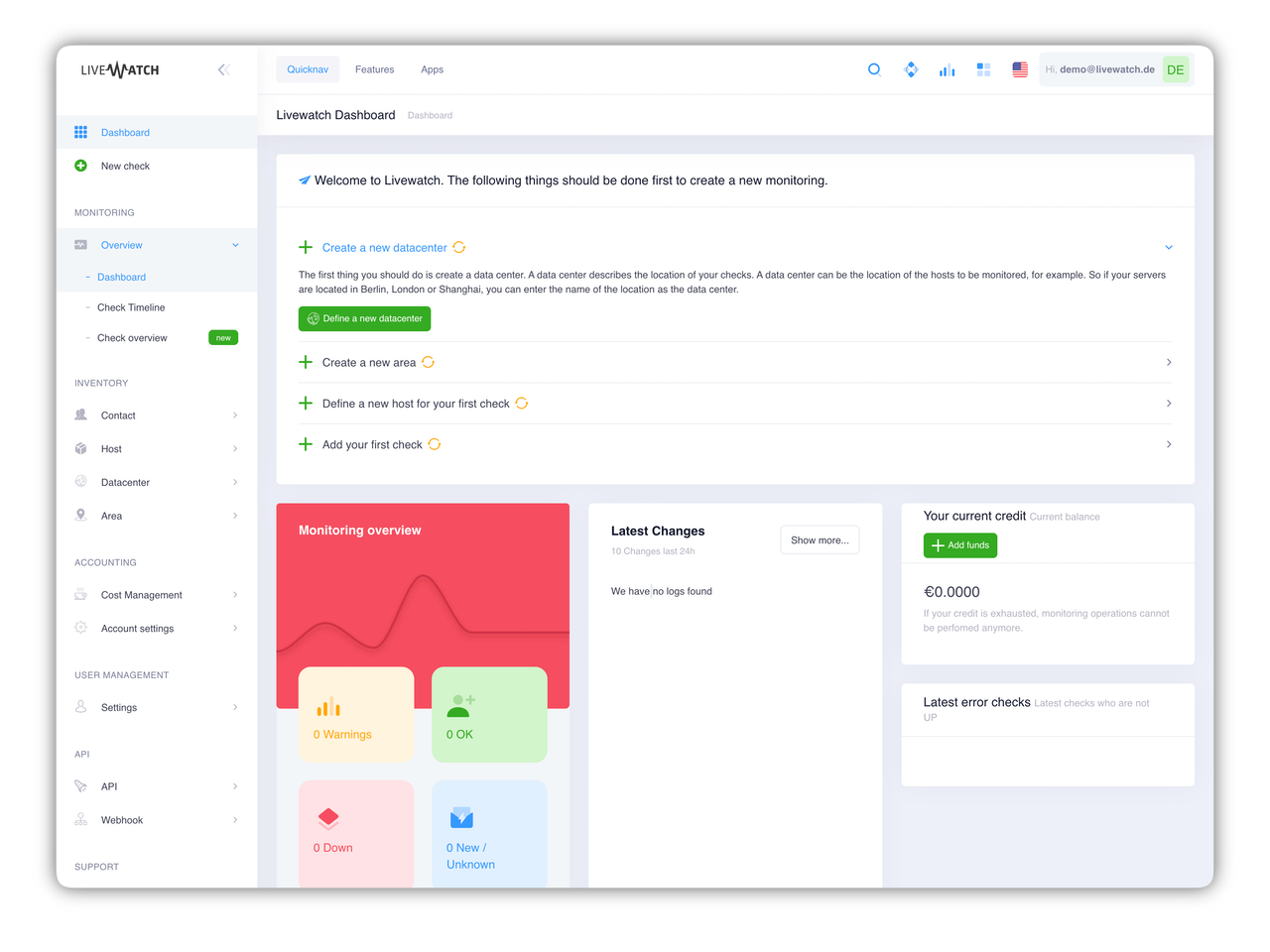
Create, manage, analyze. No problem with our Livewatch Server Monitoring Control Panel. After registration you will get immediate access and you can start the server monitoring of your website.